
 All vikis
Petit Planet Decorating
Petit Planet lets you change the whole planet, not only your house: Luca Fruits change its look, a building kit and Inspo Cards make homes and furniture, and Vignettes and Blueprints (which HoYoverse showed being saved and shared on Nov 1, 2026) build scenes. An area load limit still capped how much you could place in the last beta.
As of Nov 20, 2026, the newest official word on decorating is HoYoverse's Pre-Launch Special Program of Nov 1, 2026, which shows Blueprints being saved and shared, the feature HoYoverse had promised "over time" after the Stardrift Test (May 25, 2026). The limit behind most building complaints is still there as far as anything official says: in the Final Beta Test, Sep 20 to Oct 19, 2026, "the current version still has a load limit in place", and players "may still encounter limitations when planting, building, and decorating" (HoYoverse, Sep 20, 2026). HoYoverse has not said whether the launch build on Dec 4, 2026 raises it. In the gamescom 2026 build, Pocket Gamer saw "Habitats", placeable templates for spots such as a seaside cafe that draw hidden creatures and raise Neighbor bonds (Pocket Gamer).
We think HoYoverse will raise the area load limit in an update after launch and say so in its notes by the end of March 2027. Its Stardrift letter said that completely removing the limit "isn't technically feasible just yet" but promised to "raise the limit", and it has already cut the load of some objects once, for the Final Beta Test.
Confidence: Possible. Check by: Mar 31, 2027.
We give no tier: decorating has no measured limit, price list or item count in a launch build yet.
How to change the look of your planet
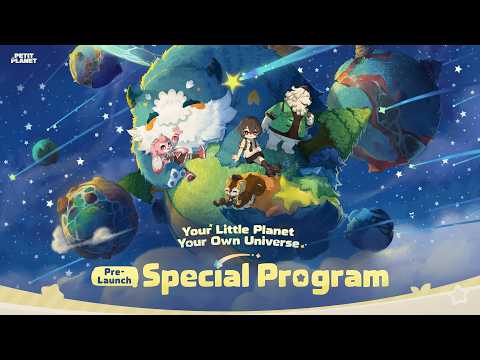
In the order the game unlocks them, as the Program, the Final Beta Test post and creators show. Each step was seen in a beta and may move.
- Grow the Luca Arbor and hang Luca Fruits. The tree at the planet's center grows new branches as you play, and decorating them with Luca Fruits changes how the whole planet looks, "fluffy clouds, luminescent waves, or sunset cliffs" in the Program's words (8:36 to 8:48). At Lv. 9 the Arbor brings more weather (Sep 21, 2026).
- Use the building kit. Mobai, the planet coordinator, hands you a building kit for homes and structures (Program 11:25). In the Coziness Test, larger houses were bought at the company's kiosk (Siliconera, Nov 7, 2025).
- Shape the land. zoibean's Final Beta Test build guide (Nov 1, 2026) starts with the terraforming tools at 0:57, then cliffs, stairs and water at 2:03. Sevy Gets Cozy says aerial decorating "unlocks around day four or five" (see below).
- Learn Inspo Cards and craft furniture. Inspo Cards are recipes for furniture (Program 12:17), made from wood and stone you gather; since the Final Beta Test you can "learn multiple Inspo Cards at once" (Sep 21, 2026). Petit Planet Farming and Cooking covers the gathering.
- Build Vignettes. A Vignette is a guided scene: "just follow the guide to create a cozy corner of your very own" (Sep 21, 2026). Game Informer describes them as "templates for unique scenes filled out by dropping the correct furniture pieces in their layout", and had to set up an outdoor movie on a beach (Nov 9, 2026).
- Unlock Blueprints. "As you gain more decorating experience, you'll gradually unlock more advanced decorating options and the Blueprint system" (the same Final Beta Test post). A Blueprint saves a design; the Program shows saving and sharing at 12:02.
- Dress the Planet Tender. Loomix Mart sells outfits, hairstyles, eye colors and furniture (Program 12:12 to 12:33); Nimue's Spellbound Salon does hair, and since the Final Beta Test flowers you breed can be made into dyes for "your favorite shades".
- Show it off. The Final Beta Test added a Planet Profile you customize "to show off your unique style across the Starsea", and the Planet Station's Vibe Beacon, which changes with the impressions visitors leave. Two more decorating tools appear only in the Final Beta Test's fix notes: Homi Decor, where a fix of Sep 22, 2026 mentions photo-taking, and Planetmaker, after which "the planet could display incorrectly" until a fix of Oct 9, 2026 (fix notes). HoYoverse has not described either. Who visits and what they see is on Petit Planet Galactic Bazaar.
The Program covers steps 2, 4, 5, 6 and 7 in one stretch, from the building kit at 11:25 to the salon at 12:38.
What is crafted and what is bought
| Item | How you get it | Paid currency involved? | Said where |
|---|---|---|---|
| Furniture from Inspo Cards | Crafted from gathered wood, stone and other materials | No | Program 10:27, 12:17 |
| Furniture and decor from shops | Glenn's shop for Dough, "a revolving selection of decor items" | No | Game Informer; Siliconera |
| Outfits, hairstyles, eye colors | Loomix Mart | Not stated by HoYoverse | Program 12:12 to 12:33 |
| Hair color | Dyes made from your own flowers | No | Final Beta Test post |
| Themed decor sets and outfits | Starsea Call, the gacha | Yes | Game Informer |
| Planet look | Luca Fruits on the Luca Arbor | No | Program 8:36 |
Game Informer reports that "all monetization will revolve around cosmetics", meaning furniture, themed decor sets, outfits and accessories, and that completing a themed decor set earns currency points. So the gacha, which Petit Planet Gacha prices pull by pull, sells the same kind of thing that decorating uses, while the planet itself, its homes and crafted furniture come from play. zoibean's guide has a chapter titled "Crafting vs Gacha: Free Furniture Breakdown" at 9:50. Loomix Mart had purchase limits on some items in the Final Beta Test, and a fix on Sep 29, 2026 corrected how they were counted (fix notes).
The area load limit
This is the one hard cap on decorating that HoYoverse has written about.
- Stardrift Test, May 25, 2026: "Seeing so many of your creative ideas held back by the current load limit has been tough for us, too. While completely removing it isn't technically feasible just yet," HoYoverse would "raise the limit and improve the building experience" (letter).
- Final Beta Test, Sep 20, 2026: "To balance game performance and device temperatures across different devices, the current version still has a load limit in place. While the load of some objects has been reduced for this test, you may still encounter limitations when planting, building, and decorating" (HoYoverse).
- Launch, Dec 4, 2026: nothing published as of Nov 20, 2026.
The reason given is device temperature. That ties the limit to phones: the Final Beta Test ran on Android phones down to a Snapdragon 855 (FAQ), and the Stardrift letter blamed wider device support for "overheating, lag, and other rough edges". Petit Planet System Requirements has the devices. zoibean's guide calls one chapter "Farm Layout & Area Load Trick" (8:22), a creator's workaround from the Final Beta Test, not an official method.
What creators built
Sevy Gets Cozy, in an unsponsored review of the Final Beta Test (Nov 3, 2026), says aerial decorating "unlocks around day four or five". That gate fits the Final Beta Test post's line that advanced options unlock "as you gain more decorating experience". zoibean's guide, "I Spent Weeks Building in PETIT PLANET... Here's What's Possible!", ends with a cafe and waterfall (6:52) and a house tour (11:25), and Thejonathon reaches his first home at 13:41 of his Nov 6, 2026 session.
HoYoverse's own decorating trailers come from the first test: the Planet Design Trailer of Nov 7, 2025, released as the Coziness Test went live.
The 41-second Home Inspiration Trailer of Oct 24, 2025 came two weeks before it.
Game Informer reports that HoYoverse compares the whole experience to doodling as a child: "your creation may not be perfect, but you had fun bringing your imagination to life".
Sources
- Stardrift Test Wrap-Up: A Letter to Planet Tenders, HoYoLAB, May 25, 2026 (read Nov 20, 2026)
- The Final Beta Test Begins Today!, HoYoverse, Sep 20, 2026 (read Nov 20, 2026)
- Final Beta Test Sign-Up Notes and FAQ, HoYoverse, Aug 26, 2026 (read Nov 20, 2026)
- What's New in the Final Beta Test, HoYoLAB, Sep 21, 2026 (read Nov 20, 2026)
- Final Beta Test Known Issues and Optimizations, HoYoLAB (read Nov 20, 2026)
- Creature Comforts, Marcus Stewart, Game Informer, Nov 9, 2026 (read Nov 20, 2026)
- Petit Planet gamescom 2026 hands-on, Iwan Morris, Pocket Gamer, Aug 31, 2026 (read Nov 20, 2026)
- Preview: Petit Planet Is More Task-Focused Than Animal Crossing, Jenni Lada, Siliconera, Nov 7, 2025 (read Nov 20, 2026)
- Petit Planet Pre-Launch Special Program, Petit Planet, Nov 1, 2026
- Planet Design Trailer, Petit Planet, Nov 7, 2025
- Home Inspiration Trailer, Petit Planet, Oct 24, 2025
- I Spent Weeks Building in PETIT PLANET... Here's What's Possible!, zoibean, Nov 1, 2026
- An Unsponsored Review of Petit Planet (Final Beta), Sevy Gets Cozy, Nov 3, 2026
- I Tried Playing EVERY Gacha Game... (Petit Planet), Thejonathon, Nov 6, 2026
Moments
I Spent Weeks Building in PETIT PLANET… Here's What's Possible!
zoibean
🌱Petit Planet🌱 Pre-Launch Special Program
Petit Planet
An Unsponsored Review of Petit Planet (Final Beta)
Sevy Gets Cozy
Petit Planet - Planet Design Trailer | Coziness Test Now Live!
Petit Planet
Petit Planet - Home Inspiration Trailer | Coziness Test Begins Nov. 7!
Petit Planet
Photos
Related
-
 Petit Planet Beta TestsPetit Planet had three public beta tests, the Coziness Test (Nov 7 to Dec 1, 2025), the Stardrift Test (Apr 21 to May 25, 2026) and the Final Beta Test (Sep 20 to Oct 19, 2026), plus a confidential Staycation Program. No beta is running as of Nov 20, 2026, and nothing from them carries over to the Dec 4, 2026 launch except Nalo's memories for players who opted in.
-
 Petit Planet CodesOne Petit Planet code exists as of Nov 20, 2026, PTPL1204, for 10 Curio Sea Whistles. It works only in game after the Dec 4, 2026 launch and expires on Jan 3, 2027 at 10:00 UTC+8 (02:00 UTC), which leaves 30 days to use it.
-
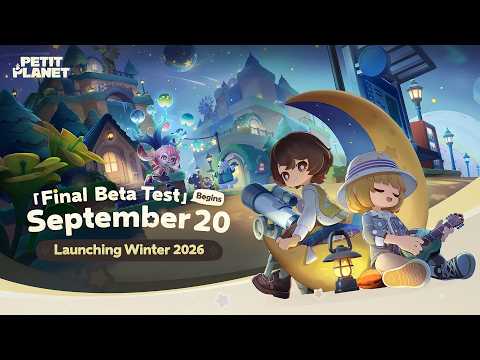 Petit Planet PlatformsPetit Planet launches free on Dec 4, 2026 on PC (HoYoPlay, the Epic Games Store and Google Play Games on PC), iOS and Android, with progress shared between PC and phone on one HoYoverse Account. Switch 2 follows in 2027; PlayStation, Xbox, Steam and Mac are not announced as of Nov 20, 2026.
-
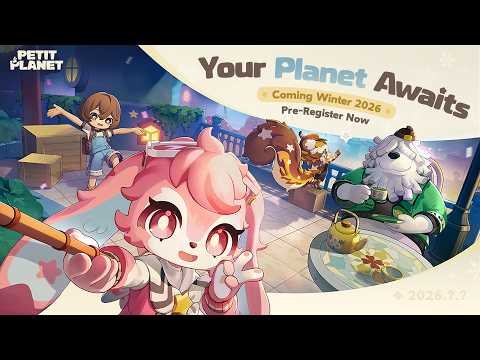 Petit Planet Pre-Registration RewardsAll five pre-registration milestones are unlocked, since 10 million players had pre-registered by Nov 1, 2026, so a pre-registered player gets the Bestie Star-Light, the Sproutling Outfit and four milestone items at launch. With the 7-day login, the code and the Luca Arbor track, the first weeks add 20 Curio Sea Whistles and 10 Sea Whistles, $32.97 at US App Store prices.
-
 Petit Planet Release TimePetit Planet launches on Dec 4, 2026 on PC, iOS and Android, with pre-download from Dec 1. HoYoverse has given no hour for either as of Nov 20, 2026; every beta opened its servers at 09:00 UTC+8, so our estimate is Dec 4 at 09:00 or 10:00 UTC+8 (01:00 or 02:00 UTC).
-
 Petit Planet Switch 2Petit Planet is coming to Nintendo Switch 2 in 2027, HoYoverse said on Nov 1, 2026; as of Nov 20 there is no date, price or store page. Game Informer played about 15 minutes of the Switch 2 build and found it "noticeably hitchier" than the PC version at times, but "perfectly adequate so far".
-
-
See also
-
 Petit Planet Farming and CookingPetit Planet's daily loop, as HoYoverse showed it on Nov 1, 2026, is farming (with the rare Dreamcrown crop), fishing, bug catching, beachcombing, wood and stone, then cooking dishes that restore Strength or give buffs and selling the rest at Today's Greenmarket for Dough. Cooking just to recover Strength was the top complaint HoYoverse listed after the Stardrift Test.
-
 Petit Planet Galactic BazaarThe Galactic Bazaar is Petit Planet's shared space, where you meet other players, play minigames such as Beat Boogie and Amira, and talk to AI characters like Nalo; HoYoverse showed it on Nov 1, 2026. Friendship climbs from Star Note to Acquaintance, Friend and Best Friend, and the AI characters can be switched off in Settings > Account.
-
 Petit Planet GachaPetit Planet is free to play with a gacha called Starsea Call that sells cosmetics (outfits and furniture), never Neighbors. As of Nov 20, 2026 the US App Store lists ten purchases from $0.99 to $17.99; launch rates are unpublished, and in the Final Beta Test a set item came at 7% a pull with one guaranteed in every 10.
-
 Petit Planet System RequirementsHoYoverse has not published Petit Planet's launch PC requirements as of Nov 20, 2026, and the Epic Games Store lists every one as TBD. The launch iOS app is 3.7 GB and needs iOS 15.0; the newest official specs, from the Final Beta Test, ask for an RTX 2060, 16 GB of RAM and 18 GB on PC, an iPhone XS, or an Android phone with a Snapdragon 855.
-
 Petit Planet Starsea VoyageA Starsea Voyage is a boat trip from your planet's Moontide Stop to Islets, small destinations with their own resources, puzzles and new Neighbors; HoYoverse showed it on Nov 1, 2026 with a Starsea Map and special seasonal planets. It was reworked twice in 2026, after Stardrift Test players said they felt lost.